WorkMonitor · Embedded & white-label
Make WorkMonitor part of your product.
Your customer should never meet our brand to check a record. A typed v1 REST API, embeddable verification widgets, white-label branding on your own domain, tenant provisioning for resellers.
Scoped keys, HMAC webhooks and an OpenAPI spec. Sandbox keys need no card.
Embedded
The API, the widgets, and your name on all of it
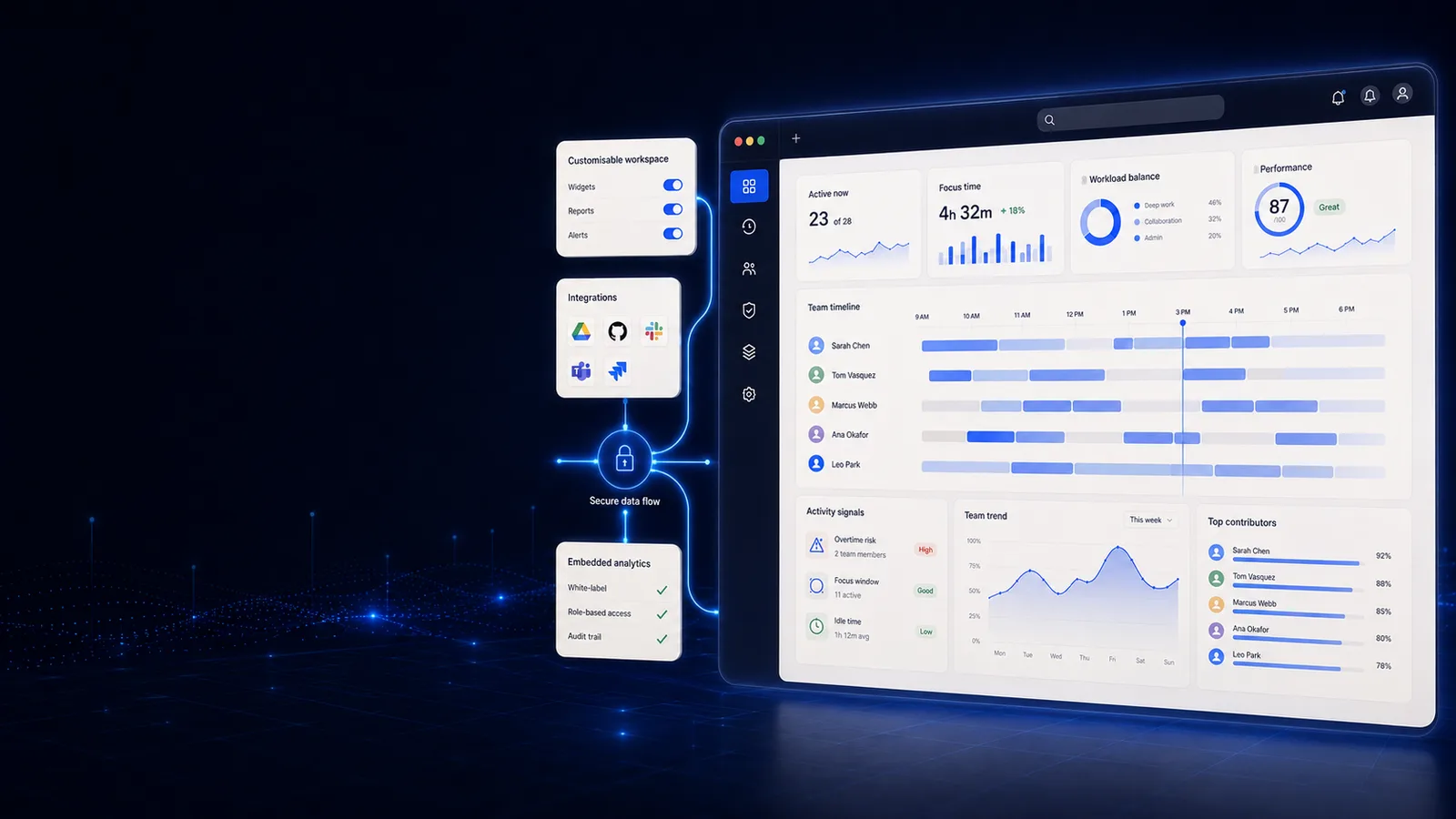
Pick one and the screen it lives on opens beside it, so you judge Embedded on what it puts in front of a manager rather than on a list of nouns.
The surface
Small enough to hold in your head.
6 routes: method, path, the scope a key must hold to call it, and what comes back. Read down the scope column to see how little a credential has to be able to do.
Every collection is cursor-paginated, newest-updated first: ask for up to 200 rows with limit and follow nextCursor until it comes back null. Writes exist too — appending time, submitting and deciding a timesheet, creating a project — and each one requires an Idempotency-Key, so a retry replays the stored answer instead of booking the hours twice.
How it works
Putting WorkMonitor inside your own product
- 1
Mint a scoped key
Scoped API keys with an IP allow-list, so an integration gets exactly the surface it needs and nothing adjacent to it.
- 2
Call the typed API
A typed v1 REST API with an OpenAPI spec and a generated SDK, built against the final route surface rather than hand-maintained beside it. Your engineers read the spec, not our support queue.
- 3
Drop in a widget
Verification, badge, timeline and approver widgets, each token-scoped so a page shows one record without exposing the account behind it.
- 4
Put your name on it
White-label branding and custom domains. The verifier your customer opens sits on your domain, and nothing on it says ours.
An export and a webhook vs. a platform you can build on
workmonitor.vsA CSV export and a webhook
6differences, worked through below
The integration surface
With WorkMonitor
A typed v1 REST API with an OpenAPI spec, a generated SDK and HMAC-signed partner webhooks.
A CSV export and a webhook
A nightly CSV and one webhook shape, both undocumented.
Credential scope
With WorkMonitor
Scoped keys with an IP allow-list, so a leaked credential costs you one integration, plus OAuth2 client-credentials for machine-to-machine auth.
A CSV export and a webhook
One API key with access to everything.
Showing data in your product
With WorkMonitor
Embeddable badge, timeline, approver and verification widgets, scoped by token.
A CSV export and a webhook
Rebuild the UI yourself against an undocumented payload.
Whose brand the customer sees
With WorkMonitor
Yours: white-label branding and a custom domain.
A CSV export and a webhook
The vendor’s, on a portal you have to explain.
Reselling it
With WorkMonitor
Multi-tenant and reseller provisioning through /v1/tenants, with isolation enforced at the schema rather than in a query somebody has to remember.
A CSV export and a webhook
Not supported; every customer signs with the vendor.
Knowing what you are using
With WorkMonitor
API usage metering against the same entitlement model the plans are gated by: rate-limit headers on every response and a running month-to-date count.
A CSV export and a webhook
A surprise on the invoice.
Every capability in Embedded, and exactly where each one stands
- Embeddable verification widgets
- White-label branding
- Custom domains
Ask AI
Ask AI about your integration
API usage, webhook deliveries and tenant state, in plain language. Your integration, queryable.
Pick a question above and WorkMonitor AI will answer from your team's real numbers.
By team
Who builds on this
Use cases
What gets built with it
Each one opens on the page written for that job — the same capabilities, read from the work rather than from the product.
- Prove work with certificatesA finalized invoice mints a signed certificate the client checks for themselves. Selective disclosure proves the work without handing over the work.
- Bill defendable client hoursBudgets that burn down while you can still move somebody, rate-card billing off captured hours, and an invoice the client verifies without asking you for anything.
- Score productivity & focusOne score per person, team or company, with the breakdown behind every one. Your categories rather than our defaults, and a capacity signal that names who is running hot.
Straight answers
The questions we would ask in your position
Every answer here is the one you would get on a call. Open as many as you like; they stay open, so two can be held side by side.
The REST API (v1) exposes verified work data — the same records WorkMonitor itself runs on — with a typed SDK and a complete OpenAPI spec. Teams pull verified hours and work records into their own dashboards, billing systems and client portals, and the record their customer sees is the record we hold.
Yes. White-label branding replaces our identity with yours across every embedded surface, and custom domains serve the widgets from your hostname rather than ours. Your users see your product, full stop.
They are embeddable components that render verified work. Drop one into your product and your users read and verify a record in place. With white-label branding and a custom domain on top, verification becomes a feature of your product rather than a link out of it.
Scoped API keys grant least-privilege access behind an IP allow-list, and partner webhooks are HMAC-signed so you can verify the origin and integrity of every payload you receive. OAuth2 client-credentials round out machine-to-machine auth, and API usage metering gives per-key visibility.
That is what multi-tenant reseller provisioning is for: isolated tenants you create and manage under your own brand, on top of the white-label and custom-domain foundation that is already live. Your customers get verified work. You own the relationship, the pricing and the support thread.
Take these with you
The software is the easy part of a rollout
Here is what we would send a manager doing one for the first time: how to read a productivity number, what to say to a remote team before anything is installed, and a policy you can adopt as written.
Point it at one team for a week.
Create the account, put the agent on a handful of desks, and leave it alone. On Friday you read the week instead of reconstructing it: hours against their projects, focus and idle per person, and the timesheets already filled in.
Free for two seats. No card, and no sales call to sit through.